Check your Usdt Trc20 Wallet
Enter USDT wallet address to view details. It’s free and requires no login.
Get real-time data from the TRON blockchain.

Latest Transactions
How to Check USDT TRC20 Wallet Balance and Transactions?
With our Trc20 Usdt Scan, quickly check any USDT address.
Enter the USDT TRC20 address
Paste your wallet address or upload a QR code into the search bar.
Click the “Check” button
Just wait a few seconds to fetch the latest USDT TRON address data.
Review the USDT address details
USDT TRC20 Scan will display the address network type, address status verification, balance, recent transactions, and available Tron energy and bandwidth.
What you can do with Usdt Trc20 Scan?
Instantly check any USDT wallet on the Tron network for free.
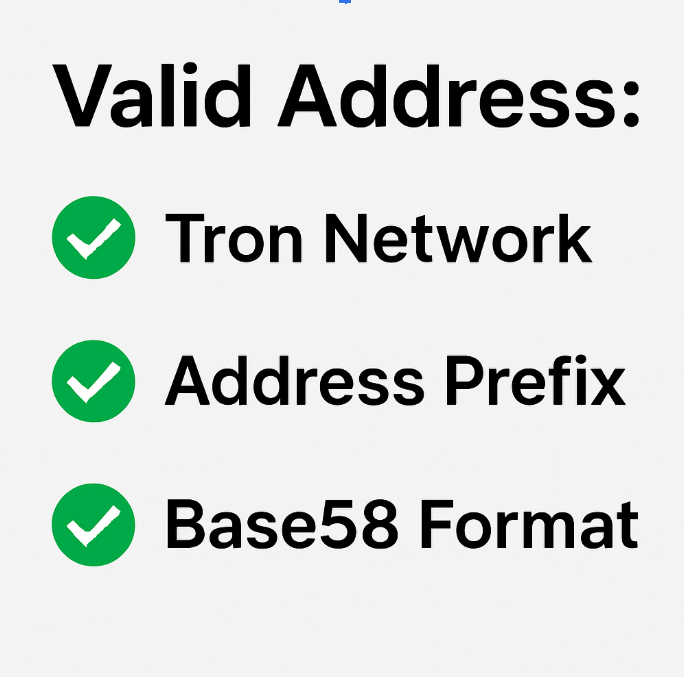
Verify the USDT TRC20 address
Not sure if your USDT address is valid? Our TRON blockchain explorer checks it against the TRC20 standard, verifying if it belongs to the TRON network. This includes checking the address length (typically 34 characters), the“T”prefix, and valid Base58 characters — ensuring it can receive or send USDT.
Check Any Usdt TRC20 Wallet Balance
Our TRC20 (TRON) Scan tool shows how much USDT is in any TRON wallet. Just enter a wallet address to see balances for both sender and receiver — from popular wallets like Trust Wallet and Binance Wallet to hardware wallets like Ledger and much more.
Track Usdt Transactions
USDT TRC20 transactions (sent and received) are shown in the recent transactions list. Sent transactions display the USDT you’ve sent to others, while received transactions show the USDT you’ve received. Each transaction includes the sender and recipient addresses, the date and time, and the amount of USDT.
Tron Energy and Bandwidth Checker
Check your available TRON Energy and Bandwidth. TRON energy (TRX energy) and bandwidth can be used to cover USDT TRC20 transfer fees. If your wallet has enough of these resources, you can send transactions without spending any TRX.
FAQs of USDT TRC20 SCAN
Got questions about checking USDT TRC20 wallets? Here are clear answers for you.
What's Usdt Trc20 Scan?
USDT TRC20 Scan is a leading Tron blockchain explorer providing real-time on-chain data access. Designed to help USDT TRC20 holders verify a wallet address and ensure their funds are sent to a valid Tron address, the platform also allows users to view wallet balance, transactions, TRON energy, bandwidth, address creation time, and more.
How is USDT TRC20 Scan Different from Other USDT Check Tools?
USDT TRC20 Scan is made just for one thing — checking and verifying USDT TRC20 addresses on the TRON blockchain. Here’s why it stands out:
Super easy to use – You only need to input a USDT TRC20 wallet address and hit search. No transacNo network selection, no messing with other token types like TRC721, TRC1155, or TRC10.
Clean, simple results – You get only the important USDT info in a clear, easy to read layout. No extra noise like overall transaction volume, circulating supply, total value locked, or contract data you don’t really need.
In short, it’s faster, simpler, and focused only on USDT — so you can get what you need without digging through a ton of unrelated data.
Can I check the sender or receiver's USDT wallet balance and transactions?
Yes. Unlike traditional bank transfers, where you can’t see the other person’s account balance or history, USDT TRC20 transactions on the Tron blockchain are public. With a valid TRC20 wallet address, USDT TRC20 Scan lets you instantly view any sender’s or receiver’s wallet balance and recent USDT transactions
How long does the Usdt Trc20 transfer take?
Most USDT TRC20 transfers are confirmed in about 1–2 minutes on the TRON network. That’s why many people choose USDT TRC20 — it’s fast and reliable.
If you withdraw or deposit USDT TRC20 on exchanges like Binance, it usually takes around 1 minute, while some platforms may take about 2 minutes.
Sending USDT TRC20 directly between wallets is even faster — it goes straight on-chain without exchange processing and can arrive in just a few seconds.
Why does my address show “Invalid Address”?
“Invalid Address” means the address format is incorrect or it doesn’t belong to the TRON network. This means it can’t receive USDT TRC20 tokens. Please double-check your address carefully before sending to avoid losing your funds.
- A Valid TRC20 address starts with a capital“T”. For example: TBgiiK.
- An ERC20 address starts with “0x”. For example: 0x7FA3. This is for Ethereum.
- Addresses from other networks (like M…, L…, bc1…) also won’t work.
Can I cancel or reverse a USDT TRC20 transfer?
No — once your USDT TRC20 transaction is confirmed on the TRON blockchain, there’s no way to cancel, reverse, or get it refunded. Always make sure the wallet address is correct before hitting “send.” If you send USDT to the wrong address, the only chance to get it back is by asking the recipient or the exchange, but most of the time, it’s not possible.
Is USDT TRC20 Scan safe to use?
Yes, USDT TRC20 Scan is completely safe. You don’t need to register or log in. It only shows data that’s already public on the TRON blockchain and does not expose any private or sensitive information.
Why do I have 0 Tron Energy but 600 Bandwidth?
Every activated TRON address gets 600 free Bandwidth each day, and it refreshes every 24 hours once used. Energy works differently — it isn’t given for free. The only way to get Energy is by staking TRX or renting it. If you rent TRON Energy, you can reduce USDT TRC20 transfer fees by up to 98%.